
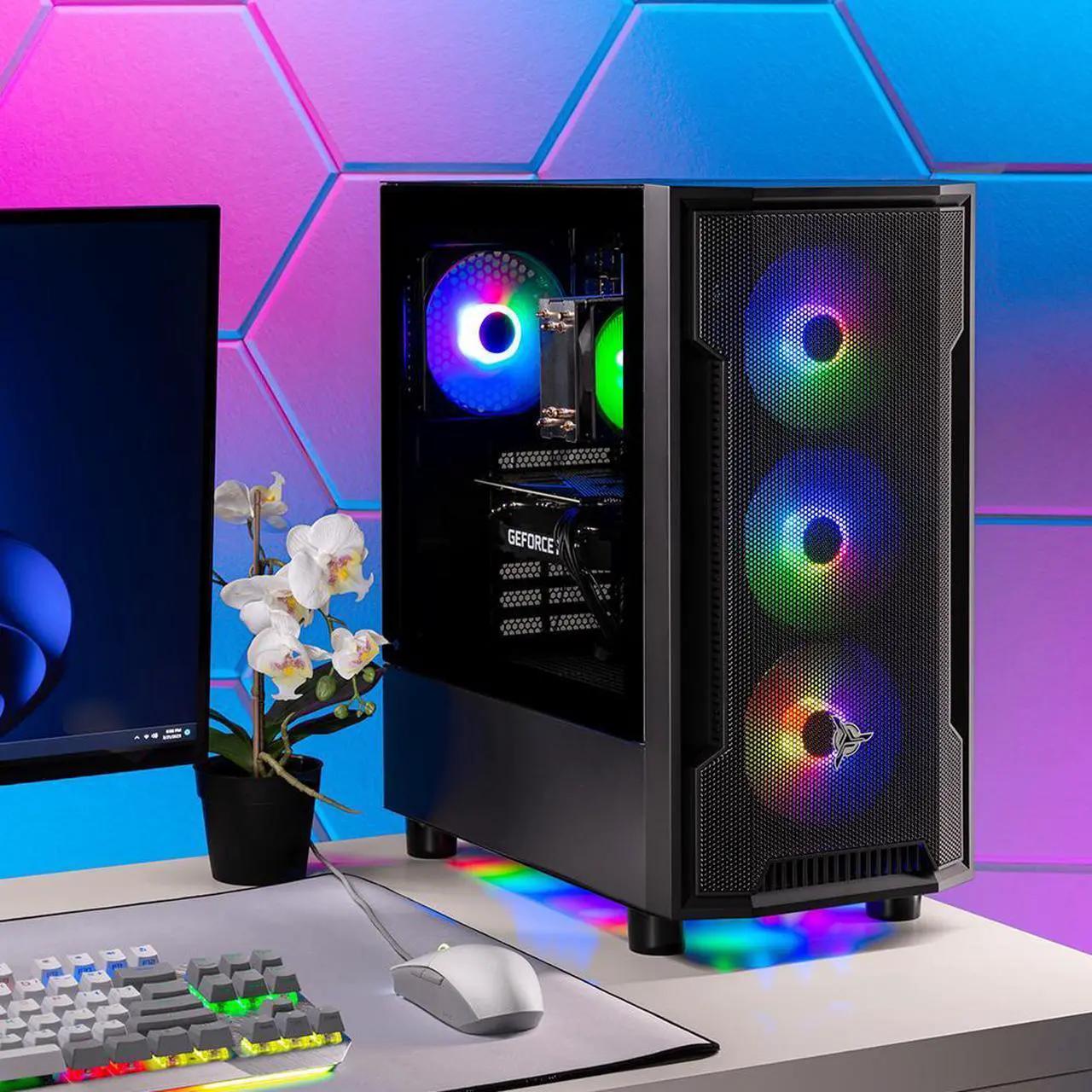
7 Best Prebuilt Gaming PC for Beginners in 2026 – Easy & Powerful Picks
Choosing your first gaming computer can feel overwhelming. With so many brands, graphics cards, processors, and confusing specifications, finding the right machine is not always easy.
The Best Prebuilt Gaming PC for Beginners should offer reliable gaming performance, easy setup, good value for money, and enough upgrade potential to grow with your gaming needs.
The good news is that you do not need an expensive custom-built computer to enjoy modern games. A well-selected prebuilt gaming desktop can deliver excellent 1080p gaming performance without requiring technical knowledge or complicated assembly.
In this guide, we will explore popular beginner-friendly gaming PC options, explain the specifications that matter most, and help you choose a budget gaming desktop for your needs.
Whether you are shopping in the United States, Canada, or the United Kingdom, this guide will help you make a smarter buying decision.
Quick Recommendation: Look for a gaming desktop with a modern AMD Ryzen 5 or Intel Core i5 processor, an NVIDIA GeForce RTX 5060-class or comparable graphics card, at least 16GB of RAM, and a 1TB SSD if your budget allows.
Affiliate Disclosure: This article contains affiliate links. As an Amazon Associate, we may earn from qualifying purchases at no additional cost to you.
Table of Contents
- Best Prebuilt Gaming PC for Beginners: Quick Comparison
- 7 Best Beginner-Friendly Gaming Desktop Options
- How to Choose a Budget Prebuilt Gaming PC
- Recommended Gaming PC Specifications
- Gaming PC Buying Tips for US, Canada, and UK
- Common Mistakes Beginners Should Avoid
- Frequently Asked Questions
- Final Verdict
Best Prebuilt Gaming PC for Beginners: Quick Comparison
Before choosing a computer, compare these popular gaming desktop families. Exact configurations, prices, and availability can vary by retailer and country.
| Gaming PC | Best For | What to Check |
|---|---|---|
| ABS Cyclone Aqua | Budget gaming | RTX 5060 configuration |
| CyberPowerPC Gamer Xtreme | First-time gamers | GPU, cooling and RAM |
| HP Victus 15L | Compact gaming setup | Graphics card and upgrade options |
| Acer Nitro N20 | Entry-level gaming | CPU and memory configuration |
| Medion ERAZER Recon E45 | Gaming and storage value | SSD capacity and GPU |
| iBUYPOWER TraceMR | Budget-conscious buyers | Power supply and motherboard |
| NZXT Player One | Simple gaming setup | Available GPU configuration |
Important: These are product families and example models, not seven independently tested winners. Always check the exact product listing before purchasing.
1. ABS Cyclone Aqua – A Strong Budget Gaming Option
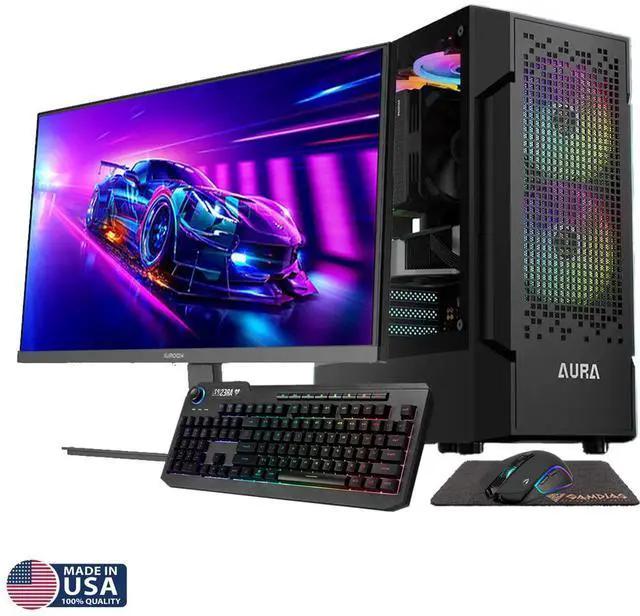
The ABS Cyclone Aqua is worth considering if you want a gaming desktop without spending too much on unnecessary premium features.
Depending on the configuration, this desktop can offer a modern Intel processor, an NVIDIA GeForce RTX graphics card, and generous memory.
For beginners, the main advantage is having a ready-to-use gaming desktop rather than purchasing individual components and assembling everything yourself.
What to check before buying:
- Intel Core i5 or better processor.
- NVIDIA GeForce RTX 5060 or comparable GPU.
- 16GB or 32GB RAM.
- 1TB SSD preferred.
- Standard components for future upgrades.
Pros
- Suitable configurations for 1080p gaming.
- Ready-to-use desktop experience.
- Potentially good value for the hardware.
Cons
- Component configurations vary.
- Some versions may use DDR4 memory.
- Port selection and cooling should be checked.
Best for: Beginners who want a practical budget gaming desktop.
Amazon: Check ABS Cyclone Aqua availability
2. CyberPowerPC Gamer Xtreme – A Beginner-Friendly Gaming Desktop
CyberPowerPC Gamer Xtreme is another popular name to consider when searching for an affordable gaming computer.
Different versions come with different processors, graphics cards, and memory configurations. Therefore, do not assume that every Gamer Xtreme desktop offers the same gaming performance.
For a new gamer, prioritize a configuration with a modern Core i5 or equivalent processor and a dedicated graphics card.
What to look for:
- NVIDIA RTX 5060 or similar GPU.
- 16GB minimum RAM.
- 1TB SSD.
- Good case ventilation.
- Windows 11 compatibility.
Pros
- Several configurations to choose from.
- Designed for gaming workloads.
- Suitable options for first-time PC buyers.
Cons
- Budget configurations may have limited storage.
- Cooling and noise levels can vary.
- Upgrade compatibility depends on the exact model.
Best for: New gamers who want a desktop for popular multiplayer and single-player games.
Amazon: Check CyberPowerPC Gamer Xtreme
3. HP Victus 15L – A Compact Entry-Level Gaming Desktop
The HP Victus 15L is a good model to investigate if you prefer a relatively compact gaming desktop from an established computer manufacturer.
Its different configurations target everyday computing and gaming users.
The main advantage for beginners is that you can get a desktop suitable for gaming, schoolwork, browsing, and everyday productivity.
Before purchasing, check the GPU carefully. A model with a dedicated RTX graphics card is generally a better choice for modern gaming than a configuration relying only on integrated graphics.
Pros
- Compact desktop design.
- Suitable for everyday computing.
- Available with dedicated graphics configurations.
Cons
- Internal upgrade space may be limited.
- Some configurations have smaller SSDs.
- Check proprietary component compatibility.
Best for: Students and beginners who need one computer for gaming and everyday tasks.
Amazon: Check HP Victus 15L
4. Acer Nitro N20 – An Entry-Level Gaming Choice
Acer Nitro is a recognizable gaming desktop family worth considering when researching your first gaming PC.
The Nitro N20 is particularly relevant to buyers looking for a gaming-oriented desktop without jumping directly into expensive enthusiast hardware.
Look for a version with a dedicated GPU, sufficient RAM, and enough storage for your game library.
A 512GB SSD can be adequate for a small collection, but a 1TB SSD offers more flexibility.
Pros
- Gaming-focused product family.
- Suitable configurations for beginners.
- Useful for gaming and general computing.
Cons
- Specifications differ between versions.
- Storage may need upgrading.
- Verify the graphics card before ordering.
Best for: New PC gamers who prefer an established gaming PC brand.
Amazon: Check Acer Nitro Gaming Desktops
5. Medion ERAZER Recon E45 – A Practical Gaming Option
Medion ERAZER is another gaming desktop family worth researching, especially for buyers comparing gaming performance and storage capacity.
Some Recon E45 configurations offer a dedicated NVIDIA graphics card and an AMD Ryzen processor.
For beginners, this combination can provide a practical foundation for everyday gaming.
However, always compare the exact processor and graphics card rather than relying on the product name alone.
Pros
- Gaming-focused hardware options.
- Potentially useful storage configurations.
- Suitable for everyday gaming.
Cons
- Availability varies by country.
- Warranty and support differ by retailer.
- Check the upgrade path.
Best for: Buyers comparing AMD-based entry-level gaming desktops.
Amazon: Search Medion ERAZER Gaming PCs
6. iBUYPOWER TraceMR – A Budget-Conscious Gaming Desktop
iBUYPOWER is a popular system integrator offering a variety of prebuilt gaming computers.
The TraceMR family is worth checking if you want a gaming desktop with a modern dedicated GPU and a gaming-oriented case design.
For beginners, the most important thing is selecting the correct hardware configuration.
Do not purchase a desktop simply because it has RGB lighting or an attractive case.
Focus on its graphics card, processor, RAM, storage, cooling, and power supply.
Pros
- Multiple configurations.
- Gaming-oriented designs.
- Potentially upgrade-friendly options.
Cons
- Specifications vary significantly.
- Some entry-level models may require future upgrades.
- Check warranty coverage.
Best for: Budget-conscious gamers who want a customizable upgrade path.
Amazon: Check iBUYPOWER Gaming Desktops
7. NZXT Player One – A Clean and Simple Gaming Setup
NZXT Player One is worth considering if you prefer a clean desktop design and want to avoid the complicated process of building a gaming computer yourself.
NZXT offers different gaming desktop configurations, so the exact GPU and CPU are important when comparing models.
For a beginner, a balanced system with a modern processor, dedicated GPU, and sufficient memory is preferable to paying extra for unnecessary cosmetic features.
Pros
- Clean desktop aesthetics.
- Gaming-oriented configurations.
- Suitable for users who prefer prebuilt systems.
Cons
- Pricing depends on configuration.
- Availability varies by market.
- Check upgrade compatibility.
Best for: Beginners who value a straightforward desktop setup.
Amazon: Search NZXT Player One Gaming PC
How to Choose a Budget Prebuilt Gaming PC
Buying a gaming desktop becomes much easier when you understand five important components.
1. Graphics Card (GPU)
The graphics card is one of the most important components for gaming performance.
It determines how smoothly many modern games run and which graphics settings you can use.
For a beginner gaming desktop, consider:
- NVIDIA GeForce RTX 5050 or RTX 5060-class options.
- Comparable AMD Radeon graphics cards.
- Higher-performance graphics cards if you plan to play at 1440p.
Always compare independent GPU benchmarks before making your decision.
2. Processor (CPU)
The processor handles game logic, background tasks, and other computing operations.
Good starting points include:
- AMD Ryzen 5.
- AMD Ryzen 7.
- Intel Core i5.
- Newer Intel Core Ultra 5 processors.
You do not necessarily need an expensive high-end CPU for a budget 1080p gaming setup.
3. RAM
RAM allows your computer to manage games and multiple applications.
For a new gaming desktop:
- 16GB: A reasonable starting point.
- 32GB: Recommended if your budget allows.
- Check whether memory is installed in dual-channel configuration.
4. SSD Storage
Modern games can occupy considerable storage space.
A 1TB NVMe SSD is a comfortable starting point for most beginners.
If your preferred games require more space, choose a desktop with an available M.2 slot or another practical storage upgrade option.
5. Cooling and Power Supply
Good cooling helps maintain stable performance during long gaming sessions.
Before purchasing, check:
- Number and position of case fans.
- CPU cooling design.
- Airflow through the case.
- Power supply wattage and quality.
- GPU power requirements.
Do not assume that a high-wattage power supply is automatically a high-quality one.
Recommended Gaming PC Specifications for Beginners
| Component | Budget Starting Point | Better Long-Term Choice |
|---|---|---|
| CPU | Ryzen 5 / Core i5 | Newer Ryzen 5 / Core i5 |
| GPU | RTX 5050-class | RTX 5060-class or comparable |
| RAM | 16GB | 32GB |
| Storage | 512GB SSD | 1TB NVMe SSD |
| Operating System | Windows 11 | Windows 11 |
| Resolution Target | 1080p | 1080p High / 1440p depending on GPU |
These are shopping guidelines, not guaranteed performance results. Actual frame rates depend on the game, graphics settings, CPU, GPU, and resolution.
Buying a Gaming PC in the US, Canada, and UK
A good gaming PC should fit your local market, budget, and warranty requirements.
United States
US buyers can compare a wide range of configurations from CyberPowerPC, iBUYPOWER, ABS, HP, and Acer.
Check Amazon US pricing, return policies, and warranty coverage before purchasing.
Browse Gaming PCs on Amazon US
Canada
Canadian buyers should compare the final CAD price, shipping charges, taxes, and local warranty support.
A desktop that looks inexpensive in USD may not offer the same value after conversion and delivery costs.
Browse Gaming PCs on Amazon Canada
United Kingdom
UK buyers should compare prices in GBP and confirm that the computer includes a suitable UK power cable and regional warranty support.
Also check delivery costs and the retailer’s return policy.
Browse Gaming PCs on Amazon UK
Common Mistakes Beginners Should Avoid
Buying your first gaming computer is exciting, but a few mistakes can cost you money.
1. Choosing RGB lighting over performance
RGB lighting looks attractive, but it does not improve gaming performance.
2. Buying without checking the GPU
Two desktops with similar names can deliver very different gaming experiences.
3. Ignoring storage capacity
A 512GB SSD may fill up quickly when you install several large games.
4. Ignoring upgrade compatibility
Check the motherboard, power supply, case dimensions, and available RAM slots.
5. Forgetting warranty and return policies
A good warranty and accessible technical support are particularly valuable for first-time buyers.
Frequently Asked Questions
What is the best prebuilt gaming PC for beginners?
The best option depends on your budget and gaming requirements. Consider systems from CyberPowerPC, ABS, HP Victus, Acer Nitro, and iBUYPOWER. Compare the exact GPU, processor, RAM, storage, and warranty before purchasing.
Is a prebuilt gaming PC worth it for beginners?
Yes. A prebuilt computer is convenient because the hardware is assembled and configured before delivery. It is a practical option for people who do not want to build a computer themselves.
How much should a beginner spend on a gaming PC?
Your budget should depend on the games you want to play and your target resolution. Compare entry-level 1080p systems with stronger configurations before deciding. Remember to include the cost of a monitor, keyboard, mouse, and headset.
Is 16GB RAM enough for gaming?
16GB is a reasonable starting point for many gaming setups. However, 32GB provides more room for multitasking and demanding games.
Is an RTX 5060 good for beginner gaming?
An RTX 5060-class graphics card is a sensible option to investigate for 1080p gaming. Actual performance varies by game, graphics settings, and the rest of the computer.
Should I buy a gaming PC or gaming laptop?
A desktop is generally easier to upgrade and offers more flexibility for long-term hardware improvements. A laptop is more suitable if portability is important.
Can I upgrade a prebuilt gaming PC later?
Many prebuilt gaming desktops support RAM, storage, and GPU upgrades. However, compatibility depends on the motherboard, power supply, case dimensions, and cooling system.
Final Verdict: Which Beginner Gaming Desktop Should You Choose?
Choosing your first gaming desktop does not have to be difficult.
If you want a budget-friendly entry into PC gaming, compare ABS Cyclone Aqua, CyberPowerPC Gamer Xtreme, and iBUYPOWER TraceMR configurations.
If you prefer an established manufacturer, consider HP Victus or Acer Nitro.
For a clean and straightforward setup, NZXT Player One is another option worth investigating.
The most important advice is simple: prioritize the graphics card, processor, RAM, SSD, cooling, and warranty instead of buying a computer based only on its appearance.
Take your time, compare configurations, and select a desktop that fits your gaming needs and budget.
Ready to choose your first gaming computer? Compare current configurations and prices before making your final purchase.
Editorial note: Product specifications and retailer availability can change. Confirm the exact configuration and warranty on the seller’s listing before ordering.
Affiliate Disclosure: This article may contain affiliate links. If you purchase through a qualifying link, we may earn a commission at no additional cost to you. Product details, prices, and availability should be verified with the retailer before purchasing.
Read more: Ultimate Student Laptop Buying Guide 2026: Proven Tips for US, Canada & UK Students
Read more: Laptop Buying Guide for Beginners: How to Choose the Right Laptop
Read more: ASUS TUF Gaming F16 FX608JHR-DS74 Comprehensive Review
Read more: 7 Best Mini PCs for Home Office in 2026: Powerful Picks for Productivity